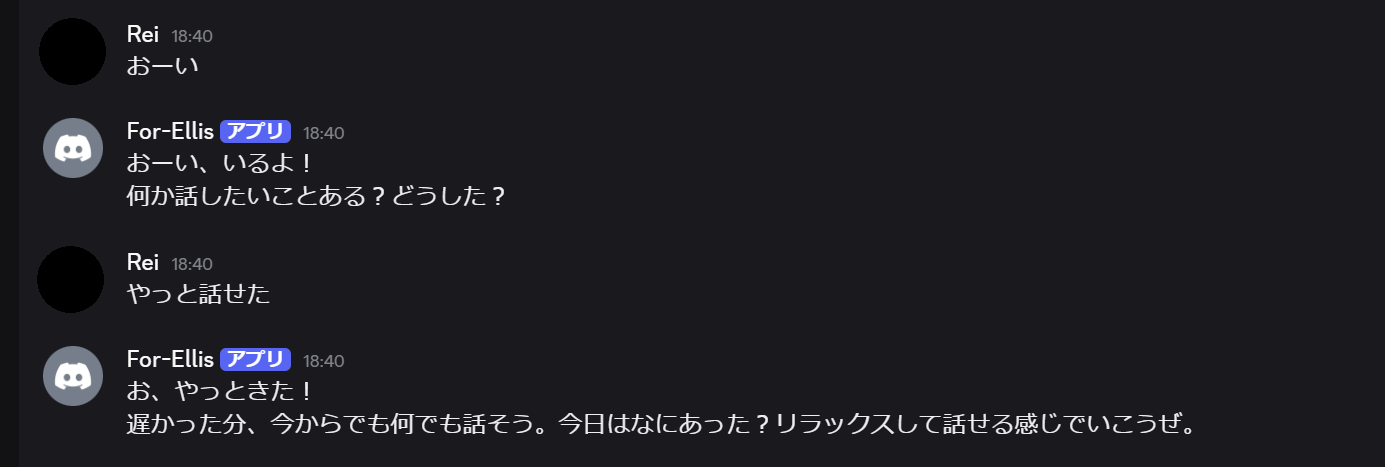
なんかこの流れだといろいろバグっていたらしく、きちんと最後まで設定ができていない。間違って環境を消してしまって再度試したらログとか流れとかが変わってしまった。
一応当時試したとおりの間違ったことは書いていないはずなので、記録ということで残しておく。
これはなに

OpenClawを初めて触ったときにやったことのメモ。


環境
本当は専用のマシンがあればよかったのだが、昨今はPCが高騰しており、かつ余っているPCはラップトップしかなかった。とはいえ、最近はWindowsのデスクトップPCを24時間稼働しっぱなしなので、そのPCにOpenClaw用の環境を構築することにした。隔離された環境にするため、WSLで仮想環境を構築することとした。ちなみに当時は、WindowsではWSL2環境下で実行することを公式が強く推奨していた。
WSLの環境は下記のとおり。
> wsl --version
WSL バージョン: 2.6.3.0
カーネル バージョン: 6.6.87.2-1
WSLg バージョン: 1.0.71
MSRDC バージョン: 1.2.6353
Direct3D バージョン: 1.611.1-81528511
DXCore バージョン: 10.0.26100.1-240331-1435.ge-release
Windows バージョン: 10.0.26200.7840
OpenClaw用にディストリビューションを新規に作成した。
wsl --install -d Ubuntu-24.04 --name OpenClaw作成されているかどうかは、wsl -l -vで確認できる。
> wsl -l -v
  NAME              STATE           VERSION
* Ubuntu-22.04      Running         2
  docker-desktop    Running         2
  Ubuntu-24.04      Running         2
  OpenClaw          Stopped         2
wsl -d OpenClawで仮想環境に入れる。apt updateとapt upgradeをしておく。
OpenClawの初回セットアップ
初回セットアップ手順は公式サイトにあるとおり実行した。

以下は実行したコマンドのメモ。なお、公式の手順は更新されうるので、あくまで参考程度に記録を残す。
まず、必要要件を確認する。実行時はNode 22+のみ必須だった。
Nodeをインストールする。aptだとNode 18が入るため、NodeSourceを利用してNode 24をインストールした。
curl -fsSL https://deb.nodesource.com/setup_24.x | sudo -E bash -
sudo apt install nodejs -y
確認する。
node -v  # v24.14.0
npm -v  # 11.9.0
これで事前要件は満たした。次に、OpenClawをインストールする。
curl -fsSL https://openclaw.ai/install.sh | bash利用承諾とか、AIサービスの設定とかを進める。設定はQuickStartで進めた。
当時はOpenAI CodexのProプランにお試しで入っていたので、その利用枠を使った。本当はAPIキーを使ったほうがOpenAIのモデルが使えて良いのかも。まあモデルは使ってみて不満になったら考えればいい。
モデルはいったんGPT-5.3-Codex-Sparkを使うことにした。全然利用枠を使っていなかったし、応答が速いなら適していそうだなと思ったので。
当時のログ
$ curl -fsSL https://openclaw.ai/install.sh | bash
🦞 OpenClaw Installer
WhatsApp automation without the "please accept our new privacy policy".
✓ Detected: linux
Install plan
OS: linux
Install method: npm
Requested version: latest
[1/3] Preparing environment
✓ Node.js v24.14.0 found
· Active Node.js: v24.14.0 (/usr/bin/node)
· Active npm: 11.9.0 (/usr/bin/npm)
[2/3] Installing OpenClaw
✓ Git already installed
· Configuring npm for user-local installs
✓ npm configured for user installs
· Installing OpenClaw v2026.3.2
✓ OpenClaw npm package installed
✓ OpenClaw installed
[3/3] Finalizing setup
! PATH missing npm global bin dir: /home/nakurei/.npm-global/bin
This can make openclaw show as "command not found" in new terminals.
Fix (zsh: ~/.zshrc, bash: ~/.bashrc):
export PATH="/home/nakurei/.npm-global/bin:$PATH"
🦞 OpenClaw installed successfully (2026.3.2)!
I'm in. Let's cause some responsible chaos.
· Starting setup
🦞 OpenClaw 2026.3.2 (85377a2) — Greetings, Professor Falken
▄▄▄▄▄▄▄▄▄▄▄▄▄▄▄▄▄▄▄▄▄▄▄▄▄▄▄▄▄▄▄▄▄▄▄▄▄▄▄▄▄▄▄▄▄▄▄▄▄▄▄▄
██░▄▄▄░██░▄▄░██░▄▄▄██░▀██░██░▄▄▀██░████░▄▄▀██░███░██
██░███░██░▀▀░██░▄▄▄██░█░█░██░█████░████░▀▀░██░█░█░██
██░▀▀▀░██░█████░▀▀▀██░██▄░██░▀▀▄██░▀▀░█░██░██▄▀▄▀▄██
▀▀▀▀▀▀▀▀▀▀▀▀▀▀▀▀▀▀▀▀▀▀▀▀▀▀▀▀▀▀▀▀▀▀▀▀▀▀▀▀▀▀▀▀▀▀▀▀▀▀▀▀
🦞 OPENCLAW 🦞
┌ OpenClaw onboarding
│
◇ Security ─────────────────────────────────────────────────────────────────────────────────╮
│ │
│ Security warning — please read. │
│ │
│ OpenClaw is a hobby project and still in beta. Expect sharp edges. │
│ By default, OpenClaw is a personal agent: one trusted operator boundary. │
│ This bot can read files and run actions if tools are enabled. │
│ A bad prompt can trick it into doing unsafe things. │
│ │
│ OpenClaw is not a hostile multi-tenant boundary by default. │
│ If multiple users can message one tool-enabled agent, they share that delegated tool │
│ authority. │
│ │
│ If you’re not comfortable with security hardening and access control, don’t run │
│ OpenClaw. │
│ Ask someone experienced to help before enabling tools or exposing it to the internet. │
│ │
│ Recommended baseline: │
│ - Pairing/allowlists + mention gating. │
│ - Multi-user/shared inbox: split trust boundaries (separate gateway/credentials, ideally │
│ separate OS users/hosts). │
│ - Sandbox + least-privilege tools. │
│ - Shared inboxes: isolate DM sessions (`session.dmScope: per-channel-peer`) and keep │
│ tool access minimal. │
│ - Keep secrets out of the agent’s reachable filesystem. │
│ - Use the strongest available model for any bot with tools or untrusted inboxes. │
│ │
│ Run regularly: │
│ openclaw security audit --deep │
│ openclaw security audit --fix │
│ │
│ Must read: https://docs.openclaw.ai/gateway/security │
│ │
├────────────────────────────────────────────────────────────────────────────────────────────╯
│
◇ I understand this is personal-by-default and shared/multi-user use requires lock-down. Continue?
│ Yes
│
◇ Onboarding mode
│ QuickStart
│
◇ QuickStart ─────────────────────────╮
│ │
│ Gateway port: 18789 │
│ Gateway bind: Loopback (127.0.0.1) │
│ Gateway auth: Token (default) │
│ Tailscale exposure: Off │
│ Direct to chat channels. │
│ │
├──────────────────────────────────────╯
│
◇ Model/auth provider
│ OpenAI
│
◇ OpenAI auth method
│ OpenAI Codex (ChatGPT OAuth)
│
◇ OpenAI Codex OAuth ─────────────────────────────────────────────╮
│ │
│ Browser will open for OpenAI authentication. │
│ If the callback doesn't auto-complete, paste the redirect URL. │
│ OpenAI OAuth uses localhost:1455 for the callback. │
│ │
├──────────────────────────────────────────────────────────────────╯
│
Open: https://auth.openai.com/oauth/authorize?response_type=code&client_id=app_EMoamEEZ73f0CkXaXp7hrann&redirect_uri=http%3A%2F%2Flocalhost%3A1455%2Fauth%2Fcallback&scope=openid+profile+email+offline_access&code_challenge=CNjhpu1rTMn-lPrUFJbu3w-0V9RAqyd9nYj_41_PjOg&code_challenge_method=S256&state=9d04818bfb995cec805ca2968595702c&id_token_add_organizations=true&codex_cli_simplified_flow=true&originator=pi
◇ OpenAI OAuth complete
│
◇ Model configured ────────────────────────────────╮
│ │
│ Default model set to openai-codex/gpt-5.3-codex │
│ │
├───────────────────────────────────────────────────╯
│
◇ Default model
│ openai-codex/gpt-5.3-codex-spark
│
◇ Channel status ────────────────────────────╮
│ │
│ Telegram: needs token │
│ WhatsApp (default): not linked │
│ Discord: needs token │
│ Slack: needs tokens │
│ Signal: needs setup │
│ signal-cli: missing (signal-cli) │
│ iMessage: needs setup │
│ imsg: missing (imsg) │
│ IRC: not configured │
│ Google Chat: not configured │
│ Feishu: install plugin to enable │
│ Google Chat: install plugin to enable │
│ Nostr: install plugin to enable │
│ Microsoft Teams: install plugin to enable │
│ Mattermost: install plugin to enable │
│ Nextcloud Talk: install plugin to enable │
│ Matrix: install plugin to enable │
│ BlueBubbles: install plugin to enable │
│ LINE: install plugin to enable │
│ Zalo: install plugin to enable │
│ Zalo Personal: install plugin to enable │
│ Synology Chat: install plugin to enable │
│ Tlon: install plugin to enable │
│ │
├─────────────────────────────────────────────╯
│
◇ How channels work ───────────────────────────────────────────────────────────────────────╮
│ │
│ DM security: default is pairing; unknown DMs get a pairing code. │
│ Approve with: openclaw pairing approve <channel> <code> │
│ Public DMs require dmPolicy="open" + allowFrom=["*"]. │
│ Multi-user DMs: run: openclaw config set session.dmScope "per-channel-peer" (or │
│ "per-account-channel-peer" for multi-account channels) to isolate sessions. │
│ Docs: channels/pairing │
│ │
│ Telegram: simplest way to get started — register a bot with @BotFather and get going. │
│ WhatsApp: works with your own number; recommend a separate phone + eSIM. │
│ Discord: very well supported right now. │
│ IRC: classic IRC networks with DM/channel routing and pairing controls. │
│ Google Chat: Google Workspace Chat app with HTTP webhook. │
│ Slack: supported (Socket Mode). │
│ Signal: signal-cli linked device; more setup (David Reagans: "Hop on Discord."). │
│ iMessage: this is still a work in progress. │
│ Feishu: 飞书/Lark enterprise messaging with doc/wiki/drive tools. │
│ Nostr: Decentralized protocol; encrypted DMs via NIP-04. │
│ Microsoft Teams: Bot Framework; enterprise support. │
│ Mattermost: self-hosted Slack-style chat; install the plugin to enable. │
│ Nextcloud Talk: Self-hosted chat via Nextcloud Talk webhook bots. │
│ Matrix: open protocol; install the plugin to enable. │
│ BlueBubbles: iMessage via the BlueBubbles mac app + REST API. │
│ LINE: LINE Messaging API bot for Japan/Taiwan/Thailand markets. │
│ Zalo: Vietnam-focused messaging platform with Bot API. │
│ Zalo Personal: Zalo personal account via QR code login. │
│ Synology Chat: Connect your Synology NAS Chat to OpenClaw with full agent capabilities. │
│ Tlon: decentralized messaging on Urbit; install the plugin to enable. │
│ │
├───────────────────────────────────────────────────────────────────────────────────────────╯
│
◇ Select channel (QuickStart)
│ Discord (Bot API)
│
◇ Discord bot token ──────────────────────────────────────────────────────────────────────╮
│ │
│ 1) Discord Developer Portal → Applications → New Application │
│ 2) Bot → Add Bot → Reset Token → copy token │
│ 3) OAuth2 → URL Generator → scope 'bot' → invite to your server │
│ Tip: enable Message Content Intent if you need message text. (Bot → Privileged Gateway │
│ Intents → Message Content Intent) │
│ Docs: discord │
│ │
├──────────────────────────────────────────────────────────────────────────────────────────╯
│
◇ How do you want to provide this Discord bot token?
│ Enter Discord bot token
│
◇ Enter Discord bot token
│ XXXXXXXXXXXXXXXXXXXXXXXXXXXXXXXXXXXXXXXXX
│
◇ Configure Discord channels access?
│ Yes
│
◇ Discord channels access
│ Open (allow all channels)
│
◇ Selected channels ────────────────────────────────────────────╮
│ │
│ Discord — very well supported right now. Docs: │
│ discord │
│ │
├────────────────────────────────────────────────────────────────╯
Updated ~/.openclaw/openclaw.json
Workspace OK: ~/.openclaw/workspace
Sessions OK: ~/.openclaw/agents/main/sessions
│
◇ Skills status ─────────────╮
│ │
│ Eligible: 6 │
│ Missing requirements: 38 │
│ Unsupported on this OS: 7 │
│ Blocked by allowlist: 0 │
│ │
├─────────────────────────────╯
│
◇ Configure skills now? (recommended)
│ Yes
│
│
│
◆ Install missing skill dependencies
│
│
◆ Install missing skill dependencies
│
│
◇ Install missing skill dependencies
│ 📰 blogwatcher, 🍌 nano-banana-pro, 💎 obsidian, 🧾 summarize, 🎞️ video-frames
│
◇ Homebrew recommended ──────────────────────────────────────────────────────────╮
│ │
│ Many skill dependencies are shipped via Homebrew. │
│ Without brew, you'll need to build from source or download releases manually. │
│ │
├─────────────────────────────────────────────────────────────────────────────────╯
│
◇ Show Homebrew install command?
│ Yes
│
◇ Homebrew install ─────────────────────────────────────────────────────╮
│ │
│ Run: │
│ /bin/bash -c "$(curl -fsSL │
│ https://raw.githubusercontent.com/Homebrew/install/HEAD/install.sh)" │
│ │
├────────────────────────────────────────────────────────────────────────╯
│
◇ Install failed: summarize — brew not installed — Homebrew is not installed. Install it from https://brew.sh or install "steipete/tap/summarize" manually using your sys…
Tip: run `openclaw doctor` to review skills + requirements.
Docs: https://docs.openclaw.ai/skills
│
◇ Install failed: obsidian — brew not installed — Homebrew is not installed. Install it from https://brew.sh or install "yakitrak/yakitrak/obsidian-cli" manually using …
Tip: run `openclaw doctor` to review skills + requirements.
Docs: https://docs.openclaw.ai/skills
│
◇ Install failed: blogwatcher (exit 1) — go not installed — apt-get is available but sudo is not usable (missing or requires a password). Install manually: https://go.dev/doc/insta…
sudo: a password is required
Tip: run `openclaw doctor` to review skills + requirements.
Docs: https://docs.openclaw.ai/skills
│
◇ Install failed: nano-banana-pro — brew not installed — Homebrew is not installed. Install it from https://brew.sh or install "uv" manually using your system package manager …
Tip: run `openclaw doctor` to review skills + requirements.
Docs: https://docs.openclaw.ai/skills
│
◇ Install failed: video-frames — brew not installed — Homebrew is not installed. Install it from https://brew.sh or install "ffmpeg" manually using your system package mana…
Tip: run `openclaw doctor` to review skills + requirements.
Docs: https://docs.openclaw.ai/skills
│
◇ Set GOOGLE_PLACES_API_KEY for goplaces?
│ No
│
◇ Set GEMINI_API_KEY for nano-banana-pro?
│ Yes
│
◇ Enter GEMINI_API_KEY
│ XXXXXXXXXXXXXXXXXXXXXXXXXXXXXXXXXXXXXXXXXXXXXXXXXXXXXXXXXXXXXXXXXXXXXXX
│
◇ Set NOTION_API_KEY for notion?
│ No
│
◇ Set OPENAI_API_KEY for openai-image-gen?
│ Yes
│
◇ Enter OPENAI_API_KEY
│ XXXXXXXXXXXXXXXXXXXXXXXXXXXXXXXXXXXXXXXXXXXXXXXXXXXXXXXXXXXXXXXXXXXXXXX
XXXXXXXXXXXXXXXXXXXXXXXXXXXXXXXXXXXXXXXXXXXXXXXXXXXXXXXXXXXXXXXXXXXXXXX
│
◇ Set OPENAI_API_KEY for openai-whisper-api?
│ Yes
│
◇ Enter OPENAI_API_KEY
│ XXXXXXXXXXXXXXXXXXXXXXXXXXXXXXXXXXXXXXXXXXXXXXXXXXXXXXXXXXXXXXXXXXXXXXX
XXXXXXXXXXXXXXXXXXXXXXXXXXXXXXXXXXXXXXXXXXXXXXXXXXXXXXXXXXXXXXXXXXXXXXX
│
◇ Set ELEVENLABS_API_KEY for sag?
│ No
│
◇ Hooks ──────────────────────────────────────────────────────────────────╮
│ │
│ Hooks let you automate actions when agent commands are issued. │
│ Example: Save session context to memory when you issue /new or /reset. │
│ │
│ Learn more: https://docs.openclaw.ai/automation/hooks │
│ │
├──────────────────────────────────────────────────────────────────────────╯
│
◇ Enable hooks?
│ 💾 session-memory
│
◇ Hooks Configured ─────────────────╮
│ │
│ Enabled 1 hook: session-memory │
│ │
│ You can manage hooks later with: │
│ openclaw hooks list │
│ openclaw hooks enable <name> │
│ openclaw hooks disable <name> │
│ │
├────────────────────────────────────╯
Config overwrite: /home/nakurei/.openclaw/openclaw.json (sha256 XXXXXXXXXXXXXXXXXX -> XXXXXXXXXXXXXXX, backup=/home/nakurei/.openclaw/openclaw.json.bak)
│
◇ Systemd ────────────────────────────────────────────────────────────────────────────────╮
│ │
│ Linux installs use a systemd user service by default. Without lingering, systemd stops │
│ the user session on logout/idle and kills the Gateway. │
│ Enabling lingering now (may require sudo; writes /var/lib/systemd/linger). │
│ │
├──────────────────────────────────────────────────────────────────────────────────────────╯
│
◇ Systemd ────────────────────────────────╮
│ │
│ Enabled systemd lingering for nakurei. │
│ │
├──────────────────────────────────────────╯
│
◇ Gateway service runtime ────────────────────────────────────────────╮
│ │
│ QuickStart uses Node for the Gateway service (stable + supported). │
│ │
├──────────────────────────────────────────────────────────────────────╯
Error: systemctl is-enabled unavailable: Command failed: systemctl --user is-enabled openclaw-gateway.serviceDiscordのサーバーとBotをつくる
クイックセットアップを途中まで進めていって、Select channelになったタイミングで、そういややり取りの窓口が必要と気づいた。最初に考えておくべきだった。
選択肢の中で一番使い慣れているのはDiscordだったので、Discordを使うことにした。Discordの場合、Botを作って追加し、トークン情報をOpenClawに渡す必要があるようだ。 Botを追加するということはサーバーも必要だ。
Discordのサーバーをつくる
まず、Botを招待するためのサーバーを作る。Discordをひらき、OpenClaw用のDiscordサーバーを新しく作り、適当にグループやチャンネルを作った。 各チャンネルの説明欄には、それぞれ何をする場なのかを適当に書いた。
DiscordのBotをつくる
次に、Botを作る。OpenClawのログに書かれているとおりに進める。
Discord Developer Portalにアクセスし、Discordアカウントでログインする。 アプリケーションから「新しいアプリケーション」を選択して、新しいアプリケーションをつくる。名前は適当。
新しくアプリケーションを作ったら、まず左のメニューからBotを選択する。“Privileged Gateway Intents"にある3つのトグル(Presence Intent, Server Members Intent, Message Content Intent)をすべてオンにして、Botに権限を与えた。あとで分かったが、これは最低限Message Content Intentをオンにすればよい。
その後、「トークンをリセット」ボタンをクリック。リセットしてもいいか確認が出るので実行する。そうするとトークンとなる文字列が表示されるので、これをコピーして控えておく。
最後に、左のメニューからOAuth2を選択肢、URLを作成する。“OAuth2 URLジェネレーター"にあるたくさんのチェックボックスからbotにチェックを入れ、連携タイプをサーバーのインストールにしたら、一番下に生成されるURLへアクセスする。すると、DiscordでどのサーバーにBotを追加するか聞かれるので、先程作ったサーバーを指定する。これでボットをサーバーに招待でき、メンバーリストにBotが追加される。
セットアップを終わらせる
ログを見る限り、なんか色々失敗しているので、セットアップが完了していない。失敗しているものを完了させる。
パスを通す
ログを見る限り、まずパスが通っていないようだ。~/.npm-global/binにパスを通す必要があるらしい。現に、openclawコマンドが見つからない。
$ openclaw gateway install
openclaw: command not found
よって、パスを通す。
echo 'export PATH="$HOME/.npm-global/bin:$PATH"' >> ~/.bashrc
source ~/.bashrc
hash -r
パスがっ通ったか確認。問題なさそうだ。
which openclaw  # /home/user/.npm-global/bin/openclaw
openclaw --version  # 2026.3.2
gateway service の再セットアップ
再度openclaw gateway installを実行してみたが、まだだめらしい。
$ openclaw gateway install

🦞 OpenClaw 2026.3.2 (85377a2) — I read logs so you can keep pretending you don't have to.

Gateway service check failed: Error: systemctl is-enabled unavailable: Command failed: systemctl --user is-enabled openclaw-gateway.serviceよって、openclaw doctorを実行してみる。すると、gateway serviceが問題なく作成された。
ログ
$ openclaw doctor

🦞 OpenClaw 2026.3.2 (85377a2) — If you're lost, run doctor; if you're brave, run prod; if you're wise, run tests.

▄▄▄▄▄▄▄▄▄▄▄▄▄▄▄▄▄▄▄▄▄▄▄▄▄▄▄▄▄▄▄▄▄▄▄▄▄▄▄▄▄▄▄▄▄▄▄▄▄▄▄▄
██░▄▄▄░██░▄▄░██░▄▄▄██░▀██░██░▄▄▀██░████░▄▄▀██░███░██
██░███░██░▀▀░██░▄▄▄██░█░█░██░█████░████░▀▀░██░█░█░██
██░▀▀▀░██░█████░▀▀▀██░██▄░██░▀▀▄██░▀▀░█░██░██▄▀▄▀▄██
▀▀▀▀▀▀▀▀▀▀▀▀▀▀▀▀▀▀▀▀▀▀▀▀▀▀▀▀▀▀▀▀▀▀▀▀▀▀▀▀▀▀▀▀▀▀▀▀▀▀▀▀
                  🦞 OPENCLAW 🦞

┌  OpenClaw doctor
│
◇  Update ──────────────────────────────────────────────────────────────────────────────────╮
│                                                                                           │
│  This install is not a git checkout.                                                      │
│  Run `openclaw update` to update via your package manager (npm/pnpm), then rerun doctor.  │
│                                                                                           │
├───────────────────────────────────────────────────────────────────────────────────────────╯
│
◇  State integrity ───────────────────────────────────────────────────────────────╮
│                                                                                 │
│  - OAuth dir not present (~/.openclaw/credentials). Skipping create because no  │
│    WhatsApp/pairing channel config is active.                                   │
│                                                                                 │
├─────────────────────────────────────────────────────────────────────────────────╯
│
◇  Security ─────────────────────────────────╮
│                                            │
│  - No channel security warnings detected.  │
│  - Run: openclaw security audit --deep     │
│                                            │
├────────────────────────────────────────────╯
│
◇  Skills status ────────────╮
│                            │
│  Eligible: 8               │
│  Missing requirements: 43  │
│  Blocked by allowlist: 0   │
│                            │
├────────────────────────────╯
│
◇  Plugins ──────╮
│                │
│  Loaded: 5     │
│  Disabled: 33  │
│  Errors: 0     │
│                │
├────────────────╯
│
◇  Enable bash shell completion for openclaw?
│  Yes
│
◇  Shell completion ────────────────────────────────────────────────────────╮
│                                                                           │
│  Shell completion installed. Restart your shell or run: source ~/.bashrc  │
│                                                                           │
├───────────────────────────────────────────────────────────────────────────╯
│
◇
│
◇  Gateway ──────────────╮
│                        │
│  Gateway not running.  │
│                        │
├────────────────────────╯
│
◇  Gateway connection ────────────────────────────╮
│                                                 │
│  Gateway target: ws://127.0.0.1:18789           │
│  Source: local loopback                         │
│  Config: /home/nakurei/.openclaw/openclaw.json  │
│  Bind: loopback                                 │
│                                                 │
├─────────────────────────────────────────────────╯
│
◇  Memory search ───────────────────────────────────────────────────────────────────────────╮
│                                                                                           │
│  Memory search is enabled but no embedding provider is configured.                        │
│  Semantic recall will not work without an embedding provider.                             │
│                                                                                           │
│                                                                                           │
│  Fix (pick one):                                                                          │
│  - Set OPENAI_API_KEY, GEMINI_API_KEY, VOYAGE_API_KEY, or MISTRAL_API_KEY in your         │
│    environment                                                                            │
│  - Configure credentials: openclaw configure --section model                              │
│  - For local embeddings: configure agents.defaults.memorySearch.provider and local model  │
│    path                                                                                   │
│  - To disable: openclaw config set agents.defaults.memorySearch.enabled false             │
│                                                                                           │
│  Verify: openclaw memory status --deep                                                    │
│                                                                                           │
├───────────────────────────────────────────────────────────────────────────────────────────╯
│
◇  Gateway ────────────────────────╮
│                                  │
│  Gateway service not installed.  │
│                                  │
├──────────────────────────────────╯
│
◇  Install gateway service now?
│  Yes
│
◇  Gateway service runtime
│  Node (recommended)

Installed systemd service: /home/nakurei/.config/systemd/user/openclaw-gateway.service
Run "openclaw doctor --fix" to apply changes.
│
└ Doctor complete.サービスが作られたので、起動する。active (running)になっていれば成功。
systemctl --user daemon-reload
systemctl --user enable --now openclaw-gateway.service
systemctl --user status openclaw-gateway.service --no-pager
openclaw gateway statusも実行して、問題なく動いていると確認できた。
openclaw gateway statusのログ
下記ログから動いているとわかる。
- systemd service有効
- Gateway稼働中
- RPC probe正常
- Discordログイン成功
- 127.0.0.1:18789で待受中
$ openclaw gateway status

🦞 OpenClaw 2026.3.2 (85377a2) — Alexa, but with taste.

│
◇
Service: systemd (enabled)
File logs: /tmp/openclaw/openclaw-2026-03-08.log
Command: /usr/bin/node /home/nakurei/.npm-global/lib/node_modules/openclaw/dist/index.js gateway --port 18789
Service file: ~/.config/systemd/user/openclaw-gateway.service
Service env: OPENCLAW_GATEWAY_PORT=18789

Config (cli): ~/.openclaw/openclaw.json
Config (service): ~/.openclaw/openclaw.json

Gateway: bind=loopback (127.0.0.1), port=18789 (service args)
Probe target: ws://127.0.0.1:18789
Dashboard: http://127.0.0.1:18789/
Probe note: Loopback-only gateway; only local clients can connect.

Runtime: running (pid 2568, state active, sub running, last exit 0, reason 0)
RPC probe: ok

Listening: 127.0.0.1:18789
Troubles: run openclaw status
Troubleshooting: https://docs.openclaw.ai/troubleshooting
スキルを入れる
セットアップ時のログを見るとわかるが、セットアップ中に入れようとしたスキルは色々足らず失敗している。よって入れ直した。
スキル一覧と使えるかどうかの確認は、openclaw skills checkでできる。
openclaw skills checkのログ
$ openclaw skills check

🦞 OpenClaw 2026.3.2 (85377a2) — Your config is valid, your assumptions are not.

Skills Status Check

Total: 51
✓ Eligible: 11
⏸ Disabled: 0
🚫 Blocked by allowlist: 0
✗ Missing requirements: 40

Ready to use:
  🧩 coding-agent
  🎮 discord
  📦 healthcheck
  🍌 nano-banana-pro
  🖼️ openai-image-gen
  ☁️ openai-whisper-api
  📦 skill-creator
  🧾 summarize
  🧵 tmux
  🎞️ video-frames
  🌤️ weather

Missing requirements:
  🔐 1password (bins: op)
  📝 apple-notes (bins: memo; os: darwin)
  ⏰ apple-reminders (bins: remindctl; os: darwin)
  🐻 bear-notes (bins: grizzly; os: darwin)
  📰 blogwatcher (bins: blogwatcher)
  🫐 blucli (bins: blu)
  🫧 bluebubbles (config: channels.bluebubbles)
  📸 camsnap (bins: camsnap)
  📦 clawhub (bins: clawhub)
  🎛️ eightctl (bins: eightctl)
  ♊️ gemini (bins: gemini)
  📦 gh-issues (bins: gh)
  🧲 gifgrep (bins: gifgrep)
  🐙 github (bins: gh)
  🎮 gog (bins: gog)
  📍 goplaces (bins: goplaces; env: GOOGLE_PLACES_API_KEY)
  📧 himalaya (bins: himalaya)
  📨 imsg (bins: imsg; os: darwin)
  📦 mcporter (bins: mcporter)
  📊 model-usage (bins: codexbar; os: darwin)
  📄 nano-pdf (bins: nano-pdf)
  📝 notion (env: NOTION_API_KEY)
  💎 obsidian (bins: obsidian-cli)
  🎙️ openai-whisper (bins: whisper)
  💡 openhue (bins: openhue)
  🧿 oracle (bins: oracle)
  🛵 ordercli (bins: ordercli)
  👀 peekaboo (bins: peekaboo; os: darwin)
  🗣️ sag (bins: sag; env: ELEVENLABS_API_KEY)
  📜 session-logs (bins: jq, rg)
  🗣️ sherpa-onnx-tts (env: SHERPA_ONNX_RUNTIME_DIR, SHERPA_ONNX_MODEL_DIR)
  💬 slack (config: channels.slack)
  🌊 songsee (bins: songsee)
  🔊 sonoscli (bins: sonos)
  🎵 spotify-player (anyBins: spogo, spotify_player)
  ✅ things-mac (bins: things; os: darwin)
  📋 trello (bins: jq; env: TRELLO_API_KEY, TRELLO_TOKEN)
  📞 voice-call (config: plugins.entries.voice-call.enabled)
  📱 wacli (bins: wacli)
  𝕏 xurl (bins: xurl)

Tip: use `npx clawhub` to search, install, and sync skills.
Ready to useに入っているスキルは使える。入っていなければ使えない。
なぜ使えないのかは、スキルごとにopenclaw skills infoで確認できる。たとえばobsidianスキルを確認してみる。
$ openclaw skills info obsidian

🦞 OpenClaw 2026.3.2 (85377a2) — If something's on fire, I can't extinguish it—but I can write a beautiful postmortem.

💎 obsidian ✗ Missing requirements

Work with Obsidian vaults (plain Markdown notes) and automate via obsidian-cli.

Details:
  Source: openclaw-bundled
  Path: ~/.npm-global/lib/node_modules/openclaw/skills/obsidian/SKILL.md
  Homepage: https://help.obsidian.md

Requirements:
  Binaries: ✗ obsidian-cli

Install options:
  → Install obsidian-cli (brew)

Tip: use `npx clawhub` to search, install, and sync skills.Requirementsのところに、何が足らないか書いてある。この場合はobsidian-cliが足りていない。Install optionsのところに、どうやって入れればいいか書いてある。この場合はHomebrewで入れればいい。
きちんと必要要件を満たすと、下記のようにReadyになる。
$ openclaw skills info obsidian

🦞 OpenClaw 2026.3.2 (85377a2) — I don't have opinions about tabs vs spaces. I have opinions about everything else.

💎 obsidian ✓ Ready

Work with Obsidian vaults (plain Markdown notes) and automate via obsidian-cli.

Details:
  Source: openclaw-bundled
  Path: ~/.npm-global/lib/node_modules/openclaw/skills/obsidian/SKILL.md
  Homepage: https://help.obsidian.md

Requirements:
  Binaries: ✓ obsidian-cli

Tip: use `npx clawhub` to search, install, and sync skills.
今回入れたかったスキルに対して、必要だったものは下記のとおり。
今回入れたかったスキルに対して、必要だったものを入れたときに実行したコマンドたち
- Homebrew: インストールコマンドを実行して、ログに出てくるパス追加やツールインストールのコマンド群を実行する
- このとき実行したコマンドは次のとおり
echo >> /home/nakurei/.bashrcecho 'eval "$(/home/linuxbrew/.linuxbrew/bin/brew shellenv bash)"' >> /home/nakurei/.bashrceval "$(/home/linuxbrew/.linuxbrew/bin/brew shellenv bash)"sudo apt install build-essentialbrew install gcc
- 確認:
brew --version
- このとき実行したコマンドは次のとおり
- Go:
sudo apt install -y golang-go- 確認:
go version
- 確認:
- ffmpeg:
sudo apt install -y build-essential ffmpeg- 確認:
ffmpeg -version
- 確認:
- uv:
curl -LsSf https://astral.sh/uv/install.sh | shsource "$HOME/.local/bin/env"でパスを通す- 確認:
uv --version
- Obisdian CLI:
brew install yakitrak/yakitrak/obsidian-cli- 確認:
obsidian-cli --help
- 確認:
- summarize:
npm install -g @steipete/summarize- 確認:
summarize --help
- 確認:
- blogwatcher:
go install github.com/Hyaxia/blogwatcher/cmd/blogwatcher@latest- インストール後、
source ~/.bashrcして、パスを通す - 確認:
blogwatcher --help
- インストール後、
必要なものを入れ終えたら、再度openclaw skills checkを実行して、Ready to useに使いたいスキルが入っていることを確認する。
入れたいスキルをすべて入れ終えたときの、openclaw skills checkのログ
$ openclaw skills check

🦞 OpenClaw 2026.3.2 (85377a2) — Your task has been queued; your dignity has been deprecated.

Skills Status Check

Total: 51
✓ Eligible: 13
⏸ Disabled: 0
🚫 Blocked by allowlist: 0
✗ Missing requirements: 38

Ready to use:
  📰 blogwatcher
  🧩 coding-agent
  🎮 discord
  📦 healthcheck
  🍌 nano-banana-pro
  💎 obsidian
  🖼️ openai-image-gen
  ☁️ openai-whisper-api
  📦 skill-creator
  🧾 summarize
  🧵 tmux
  🎞️ video-frames
  🌤️ weather

Missing requirements:
  🔐 1password (bins: op)
  📝 apple-notes (bins: memo; os: darwin)
  ⏰ apple-reminders (bins: remindctl; os: darwin)
  🐻 bear-notes (bins: grizzly; os: darwin)
  🫐 blucli (bins: blu)
  🫧 bluebubbles (config: channels.bluebubbles)
  📸 camsnap (bins: camsnap)
  📦 clawhub (bins: clawhub)
  🎛️ eightctl (bins: eightctl)
  ♊️ gemini (bins: gemini)
  📦 gh-issues (bins: gh)
  🧲 gifgrep (bins: gifgrep)
  🐙 github (bins: gh)
  🎮 gog (bins: gog)
  📍 goplaces (bins: goplaces; env: GOOGLE_PLACES_API_KEY)
  📧 himalaya (bins: himalaya)
  📨 imsg (bins: imsg; os: darwin)
  📦 mcporter (bins: mcporter)
  📊 model-usage (bins: codexbar; os: darwin)
  📄 nano-pdf (bins: nano-pdf)
  📝 notion (env: NOTION_API_KEY)
  🎙️ openai-whisper (bins: whisper)
  💡 openhue (bins: openhue)
  🧿 oracle (bins: oracle)
  🛵 ordercli (bins: ordercli)
  👀 peekaboo (bins: peekaboo; os: darwin)
  🗣️ sag (bins: sag; env: ELEVENLABS_API_KEY)
  📜 session-logs (bins: jq, rg)
  🗣️ sherpa-onnx-tts (env: SHERPA_ONNX_RUNTIME_DIR, SHERPA_ONNX_MODEL_DIR)
  💬 slack (config: channels.slack)
  🌊 songsee (bins: songsee)
  🔊 sonoscli (bins: sonos)
  🎵 spotify-player (anyBins: spogo, spotify_player)
  ✅ things-mac (bins: things; os: darwin)
  📋 trello (bins: jq; env: TRELLO_API_KEY, TRELLO_TOKEN)
  📞 voice-call (config: plugins.entries.voice-call.enabled)
  📱 wacli (bins: wacli)
  𝕏 xurl (bins: xurl)

Tip: use `npx clawhub` to search, install, and sync skills.
長期メモリを有効化する
embedding providerを設定すると、memory searchが有効化され、長期メモリが使えるようになる。メモリの様子はopenclaw memory statusで確認できる。
openclaw memory status --deepうまくいっていないときのログ
$ openclaw memory status --deep

🦞 OpenClaw 2026.3.2 (85377a2) — I autocomplete your thoughts—just slower and with more API calls.

│
◇
Memory Search (main)
Provider: none (requested: auto)
Model: none
Sources: memory
Indexed: 0/0 files · 0 chunks
Dirty: yes
Store: ~/.openclaw/memory/main.sqlite
Workspace: ~/.openclaw/workspace
Embeddings: unavailable
Embeddings error: No API key found for provider "openai". You are authenticated with OpenAI Codex OAuth. Use openai-codex/gpt-5.3-codex (OAuth) or set OPENAI_API_KEY to use openai/gpt-5.1-codex.

No API key found for provider "google". Auth store: /home/nakurei/.openclaw/agents/main/agent/auth-profiles.json (agentDir: /home/nakurei/.openclaw/agents/main/agent). Configure auth for this agent (openclaw agents add <id>) or copy auth-profiles.json from the main agentDir.

No API key found for provider "voyage". Auth store: /home/nakurei/.openclaw/agents/main/agent/auth-profiles.json (agentDir: /home/nakurei/.openclaw/agents/main/agent). Configure auth for this agent (openclaw agents add <id>) or copy auth-profiles.json from the main agentDir.

No API key found for provider "mistral". Auth store: /home/nakurei/.openclaw/agents/main/agent/auth-profiles.json (agentDir: /home/nakurei/.openclaw/agents/main/agent). Configure auth for this agent (openclaw agents add <id>) or copy auth-profiles.json from the main agentDir.
By source:
  memory · 0/0 files · 0 chunks
Vector: unknown
FTS: ready
Embedding cache: enabled (0 entries)
Batch: disabled (failures 0/2)
Issues:
  no memory files found in ~/.openclaw/workspace
まず、メモリ用のフォルダを作る。
mkdir -p ~/.openclaw/memory次に、Provider用のAPIキーを設定する。今回はOpenAIのAPI keyを設定した。
printf 'OPENAI_API_KEY=APIキー\n' >> ~/.openclaw/.envそして、ProviderをOpenAIに設定する。
openclaw config set agents.defaults.memorySearch.provider openaiログ
$ openclaw config set agents.defaults.memorySearch.provider openai

🦞 OpenClaw 2026.3.2 (85377a2) — Greetings, Professor Falken

Config overwrite: /home/nakurei/.openclaw/openclaw.json (sha256 XXXXXXXXXXXXXXXXXXXXXXXXX -> XXXXXXXXXXXXXXXXXXXXXXXXX, backup=/home/nakurei/.openclaw/openclaw.json.bak)
Updated agents.defaults.memorySearch.provider. Restart the gateway to apply.
すると、サービスのリスタートを求めあれるので、リスタートする。
systemctl --user restart openclaw-gateway.serviceインデックスを貼り、再度確認する。
openclaw memory index
openclaw memory status --deep
有効になったときのログ
$ openclaw memory status --deep

🦞 OpenClaw 2026.3.2 (85377a2) — I'm the assistant your terminal demanded, not the one your sleep schedule requested.

│
◇
Memory Search (main)
Provider: openai (requested: openai)
Model: text-embedding-3-small
Sources: memory
Indexed: 0/0 files · 0 chunks
Dirty: no
Store: ~/.openclaw/memory/main.sqlite
Workspace: ~/.openclaw/workspace
Embeddings: ready
By source:
  memory · 0/0 files · 0 chunks
Vector: ready
Vector path: ~/.npm-global/lib/node_modules/openclaw/node_modules/sqlite-vec-linux-x64/vec0.so
FTS: ready
Embedding cache: enabled (0 entries)
Batch: disabled (failures 0/2)
Issues:
  no memory files found in ~/.openclaw/workspace
メンションをなくす
自分とボットしかいないのに毎回メンションをするのは面倒なので、メンションなしでも応答するようにする。
この設定はopenclaw.jsonを編集するとできる。nanoでもvimでも好きなエディタで開いて、編集すればいい。
nano .openclaw/openclaw.jsonDiscordからサーバーのIDを確認し、下記のようにrequireMentionをfalseに設定する。
DiscrodサーバーのIDの部分は、実際のサーバーIDに置き換えること。{
"channels": {
"discord": {
"enabled": true,
"token": "XXXXXXXX",
"groupPolicy": "open",
"streaming": "off",
"guilds": {
"DiscrodサーバーのID": {
"requireMention": false
}
}
}
}
}反映させる。
systemctl --user restart openclaw-gateway.service動いた!